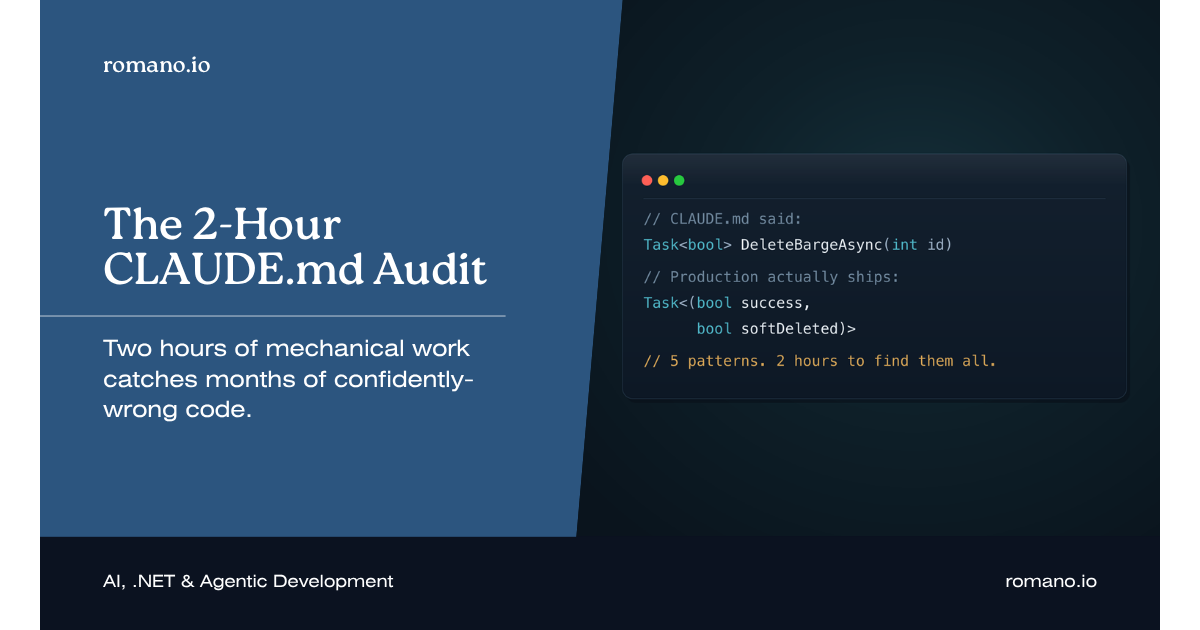
In When Your AI Memory File Lies, I walked through five outdated patterns that our CLAUDE.md was confidently generating into production. That post ended with a one-paragraph summary of the audit process. This one expands that paragraph into a playbook you can run on your own codebase tomorrow morning.
The economics are the reason to bother. Two hours of mechanical work caught months of plausibly-wrong code generation on BargeOps: five patterns, five PRs, five swept areas of the codebase. The ROI is so lopsided that the only real question is why more teams aren't doing this on a fixed cadence.
Here is exactly how I run it.
What You Need Before You Start
Three things, all available in fifteen minutes.
The current CLAUDE.md and any skill or rule files it routes to. If you've followed the skills architecture, that's your constitution plus the active skills under /.claude/skills/. If you're still on a monolithic memory file, it's that one file. Either way, print the contents to a single document so you can mark it up.
A clean checkout of the production branch. Not your feature branch. Not stale. The codebase as it shipped to production is the source of truth for what your team actually does today. Anything older is fiction.
A scratch file for findings. I use a markdown table with five columns: pattern name, what the memory file says, what the codebase actually does, severity, and PR status. That mechanical structure is what keeps the audit on time.
That's the whole prep. No tooling to install, no new dependencies. The audit is a reading exercise with code-search support.
Step 1: Inventory Every Code Sample (20 minutes)
Open the memory file. Find every fenced code block. Number them. Don't analyze yet. Just inventory.
In our case the constitution had eleven code samples and the active skills added another twenty-three. Thirty-four total samples across all our AI context. That's your audit surface area. Anything outside a fenced code block is prose, and prose is far less dangerous because Claude doesn't reproduce it verbatim. It reproduces samples.
Record each sample's location, what it claims to demonstrate, and a one-line summary. The summary is what you'll grep against in step three.
A typical row in the inventory:
| # | File | Claims to demonstrate | Summary |
|---|------|----------------------|---------|
| 7 | api-patterns.md | Delete returns bool | DELETE → bool |
| 8 | api-patterns.md | Soft-delete pattern | UPDATE IsDeleted=1 |
| 12 | ui-standards.md | Time input markup | type="time" |
Two of those rows already contradict each other (rows 7 and 8). The inventory alone surfaces the obvious internal conflicts before you even open the codebase.
Step 2: Build the Validation Matrix (15 minutes)
For each sample, identify the file pattern in the codebase you'd expect to validate it against. This is where senior engineering judgment carries the audit. You're answering one question: if this sample is correct, where in the codebase will I find a current production instance of it?
Examples from BargeOps:
Sample: Delete returns bool
Validation target: src/BargeOps.Api/Repositories/*Repository.cs
                   methods named Delete*Async
Search: rg "public async Task<.*> Delete.*Async\(" --type cs

Sample: ViewBag for view data
Validation target: src/BargeOps.Web/Controllers/*.cs
                   action methods returning IActionResult
Search: rg "ViewBag\." src/BargeOps.Web/Controllers/

Sample: type="time" inputs
Validation target: src/BargeOps.Web/Views/**/*.cshtml
Search: rg 'type="time"' src/BargeOps.Web/Views/
If you can't write a search that would surface the validation target, the sample is too abstract to audit, and probably too abstract to be useful guidance in the first place. That's a finding by itself.
Step 3: Hunt the Drift (60 minutes)
This is the bulk of the time. Run each search. Compare what the codebase shows against what the memory file claims.
You're looking for three failure modes, the same three I described in the original post, restated here as audit checks.
Replacement-without-update. The memory file shows pattern A. The codebase shows pattern B almost everywhere, with maybe a few legacy holdouts of A. The new pattern won; the file never got the memo. This was the soft-delete tuple on BargeOps. The grep returns 47 instances of the new pattern and 3 of the old. The memory file taught the old.
Written-from-early-code. The memory file matches the oldest code in the repository. The standards changed early; the file was written from the first screen built. This was the ViewBag case. The grep returns 4 instances of ViewBag (all in the first two controllers) and 38 typed ViewModels. The file taught from the wrong examples.
Partial-update. The prose in the file references the current standard. The code sample below the prose still shows the old way. This was the button-order pattern. The text said "use <a> for navigation actions"; the example right below it still used <button>. Claude generates from the example.
Mark each finding in your scratch file. Don't fix as you go. Resist that urge. Audit pace and fix pace are different animals, and mixing them is how a four-hour audit turns into an eight-hour audit that never finishes.
A finished hunt row looks like this:
| Pattern | Memory File Says | Codebase Actually | Severity | Drift Mode |
|---------|------------------|-------------------|----------|------------|
| Delete return type | bool | (bool, bool) tuple | High | Replaced |
| Time input | type="time" | type="text" .time | High | Early-code |
| View data | ViewBag | Typed ViewModel | High | Early-code |
| DataTable init | $().DataTable() | createDataTable() | Medium | Replaced |
| Button order | (correct prose) | wrong sample | Medium | Partial |
Five findings. Two hours in. The original BargeOps audit ended right here.
Step 4: One PR Per Pattern (the rest of the sprint, not the audit)
The audit produces findings. The fix is a separate workstream. Don't conflate them. That's how teams stop running audits, because every audit balloons into an open-ended refactor.
Each PR has the same shape:
- Update the memory file with the correct sample and a brief "supersedes" note pointing at the old pattern.
- Sweep the codebase for the outdated pattern using the same search from step two. Replace the remaining instances, or file followup tickets if the surface is too large.
- Add a regression check where you can. For the
ViewBagcase, we added a Roslyn analyzer that warns on anyViewBag.access in theBargeOps.Webproject. The analyzer is the brick wall behind the memory file: if Claude reverts to the bad pattern, the build fails before review. - Datestamp the section with the validation date. We use an HTML comment so it doesn't render in any tool but still travels with the file:
<!-- Last validated: 2026-04-29 against BargeOps.Api main branch -->
For the BargeOps audit, all five PRs landed within a sprint. The longest was the createDataTable() sweep because it touched twelve views. The shortest was the time-input fix: one line, two minutes, plus the tests.
Step 5: Set the Recurring Cadence
Audits are useless as a one-time exercise. Patterns rot continuously. Three rules we enforce on BargeOps:
Quarterly full audit. First Monday of every quarter. Two hours blocked on the calendar. The agenda is exactly steps one through three above. The output is a list of findings that get triaged in the next sprint planning.
Datestamp expiration. Any section with a validation date older than ninety days gets flagged automatically in our weekly engineering review. We added a tiny script that greps for Last validated: comments and prints anything past 90 days. Five lines of bash, runs in CI, surfaces stale sections without anyone having to remember.
Standards-change-includes-memory-update. This one is cultural, not technical. When we approve any architectural standard change, the same PR includes the memory file update. If you can't show me the diff that changes both the codebase pattern and the memory file, you haven't finished the work. This is the single highest-leverage rule on the list, because it stops drift at the source instead of cleaning it up later.
A Worked Example: The Delete-Returns-Bool Audit
To make the playbook concrete, here's the actual five-minute version of one finding from the BargeOps audit, end to end.
The inventory surfaced two adjacent samples in api-patterns.md. Sample 7 showed Delete*Async returning bool. Sample 8 showed a soft-delete update returning int rows affected. Two samples, two return types, no explanation of which to use when.
The validation search was simple:
rg "public async Task<.*> Delete.*Async\(" --type cs src/BargeOps.Api/
Results: 50 hits across the repository. A quick scan of the return types:
- 47 returned
(bool success, bool softDeleted) - 3 returned
bool
The three holdouts were all in the first repository, written before soft-delete existed. The memory file taught the bool version because that's what was in production when it was first scanned.
The fix PR did three things: rewrote sample 7 to show the tuple, deleted sample 8 (now subsumed), and updated the three legacy repositories to the tuple. Twenty-eight minutes of work. The memory file went from generating a bug class to generating the correct pattern.
That's one finding. Do that five times and you've recouped the audit cost a hundred times over.
What This Audit Is Actually Buying You
The surface explanation is "we caught some bugs," and that sells it short.
What the audit really does is convert invisible technical debt into visible technical debt. Confidently-wrong code generation has the worst possible failure profile: the AI is fast, the output looks right, the reviewer trusts the same source the AI did, and the bug ships. Nothing in the normal development workflow surfaces it as a problem, which is exactly why a team can run for months with a lying memory file and never know.
The audit forces the comparison. Memory file claims X. Production shows Y. Pick one. Once you've made that choice explicit, the bug isn't invisible anymore. It's a tracked finding with a PR attached.
That's the playbook. Two hours, every quarter, on the calendar. If you've been running a CLAUDE.md for more than three months and haven't done this, the only question left is which of your patterns are lying to you right now.
If you're new to this series, start with Constitutional AI Context and Monolith to Skills Architecture. Read those first if the structural recommendations here (constitution vs. skills, datestamps, supersedes notes) feel ungrounded.